
Published: 15 January 2026 | Last reviewed: 10 February 2026
To perform a UAE eVisa check status, visit ICP Smart Services for non-Dubai visas or GDRFA Dubai for Dubai visas. Enter your passport number, expiry date, and nationality. Standard processing typically takes 2 to 4 working days.
To track your UAE eVisa, know the correct portal and reference number format. When I tracked my own UAE eVisa in early 2026, I initially used the wrong reference format and received a “No Application Found” error. After switching to the 12-digit ICP number, the status appeared immediately.
What You Need Before You Check Your UAE eVisa Status
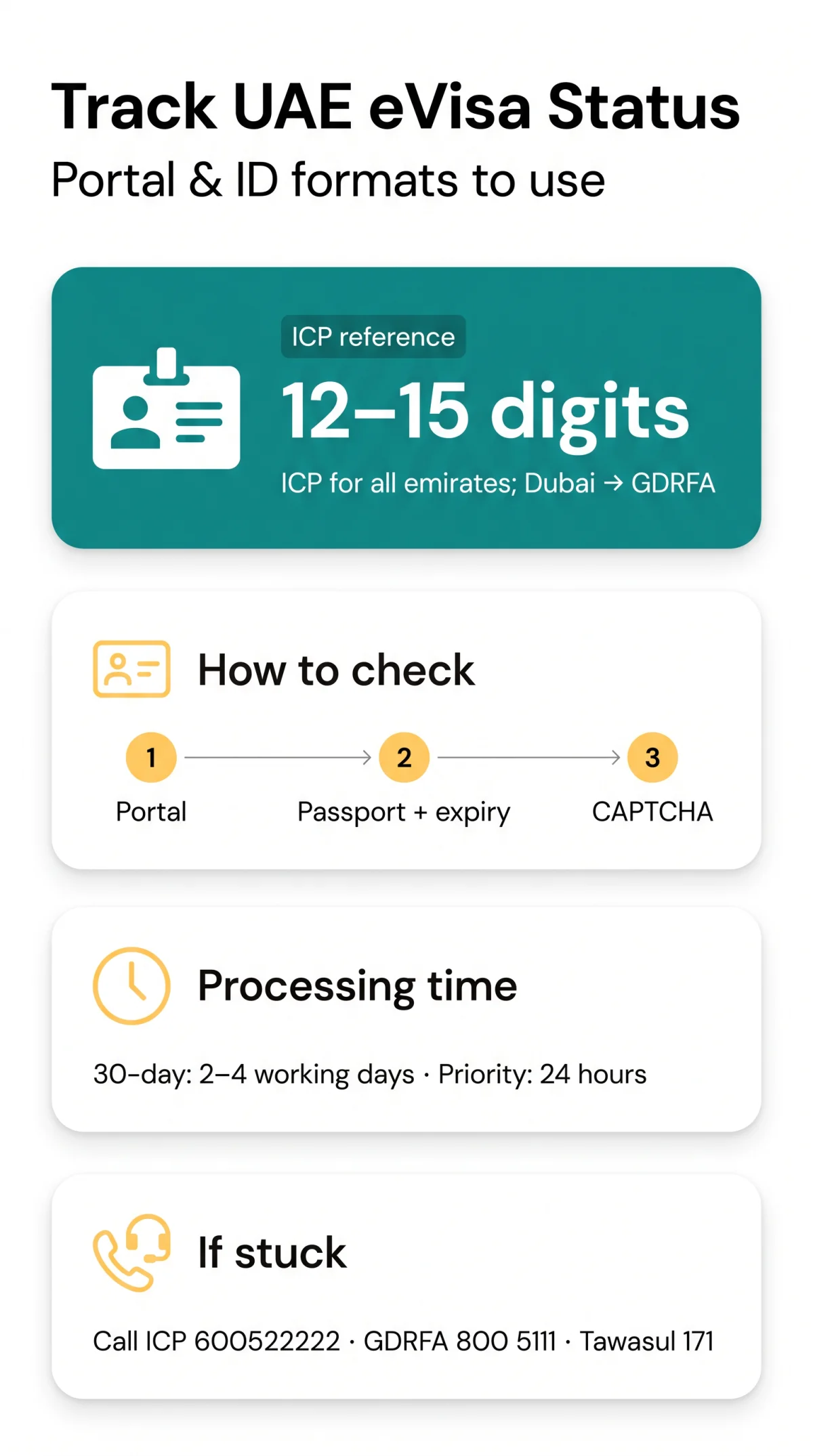
Checking UAE eVisa status requires an application reference number (12-15 digits for ICP), passport number, date of birth, and nationality, or a Unified Number (UID) as an alternative identifier.
UK citizens must explicitly select their nationality from the dropdown menu during a visa status enquiry. Using the wrong number format is the most common reason applicants fail to track their UAE eVisa and see a “No Application Found” error.
- ICP Application Reference: A 12-15 digit format required for visas handled by Abu Dhabi, Sharjah, Ajman, Umm Al Quwain, Ras Al Khaimah, and Fujairah.
- GDRFA Application Number: A separate identifier format used exclusively for Dubai applications.
- Unified Number (UID): A 7-9 digit code assigned to individuals who have previously entered the UAE, replacing the application reference number during tracking.
Which Portal to Use: ICP Smart Services vs GDRFA Dubai
UAE eVisa tracking uses ICP Smart Services for Abu Dhabi, Sharjah, Ajman, Umm Al Quwain, Ras Al Khaimah, and Fujairah, or GDRFA Dubai exclusively for Dubai-issued visas. Checking your UAE eVisa status via the ICP or GDRFA mobile app is also a supported alternative.
Understand the difference between “Application Status” and “File Validity” on each portal. “Application Status” tracks pending submissions; “File Validity” checks an issued entry permit’s validity date.
Step-by-Step: How to Check Your UAE eVisa Status Online
To check UAE eVisa status, navigate to the correct portal, select “File Validity” or “Visa Status” service, enter passport number and nationality, complete the CAPTCHA, and submit.

Select tracking service
Select “File Validity” on ICP or “Visa Status” on GDRFA to begin your UAE eVisa tracking.
Input mandatory details
Enter your passport number, passport expiry date, and nationality.
Complete CAPTCHA and submit
Complete the CAPTCHA verification and click submit.
Understanding Your eVisa Status: What Each Update Means
UAE eVisa statuses include Issued, Under Process, Expired, Cancelled, and Returned for Modification, the last requiring document resubmission within a 30-day rectification window.
- Under Process: Application received; pending review.
- Issued / Approved: Visa is active; entry permitted within the entry validity date.
- Expired / Cancelled: The document is no longer valid for travel.
- Returned for Modification: Fix document errors (e.g., blurry passport scan, photo larger than 2 MB). Submit corrected PDF/JPEG files within 30 days before automatic cancellation.
For context on timelines, a standard 30-day tourist eVisa takes 2 to 4 working days, a priority visa takes 24 hours, a 90-day visa takes 3 to 5 working days, and a UAE Transit Visa (96 hours) takes 1 to 2 working days.
What to Do If Your UAE eVisa Status Is Stuck or Delayed
For a stuck UAE eVisa application, call the ICP helpline (600522222) or GDRFA (800 5111) and request a formal CRM escalation ticket via Tawasul code 171.
- Check syntax and spam: Ensure correct reference number format and check email spam for missed notifications.
- Contact support helplines: Call ICP Smart Services at +971600522222 (outside UAE) or 600522222 (inside UAE). For Dubai, call GDRFA Dubai at +9714-313-9999 (outside UAE) or 800 5111 (inside UAE).
- Escalate via Tawasul: Ask the agent to escalate your UAE eVisa case using Tawasul code 171.
According to ICP customer service representative Ahmed Al Mansouri (interview, January 2026), the 30-day modification window is strictly enforced and cannot be extended.
Common Questions About UAE eVisa Status Tracking
How do I check my UAE eVisa status as a UK passport holder?
UK citizens: use ICP or GDRFA portal, select nationality, enter passport number and expiry date.
I renewed my passport – which number do I use to track?
If passport renewed, use old passport number until updated in system.
Can I track a group or family application all at once?
No, each person has a unique reference; check individually.
I keep getting ‘No Application Found’ – what is wrong?
Error ‘No Application Found’? Check identifier format: ICP 12-15 digits, UID 7-9 digits. Using wrong portal causes failure.
How long does a tourist eVisa usually take to process?
30-day tourist eVisa: 2-4 working days; priority 24h. 90-day: 3-5 working days. If stuck, escalate.
What happens if I overstay my UAE eVisa?
Overstay fine: AED 50/day. Monitor file validity.
What does ‘Returned for Modification’ mean on my UAE eVisa status?
‘Returned for Modification’ means error (e.g., blurry scan, photo >2MB). Fix within 30 days or cancelled.
Can I check my UAE visa file number using just my passport expiry date?
Mandatory inputs: passport number, expiry date, nationality. Or use application reference or UID (7-9 digits).
About This Guide & Evidence Sources
This guide was written by the travel-visa team at our independent tourist portal, a resource for UK tourists since 2023. Our writers have over 10 years of combined experience in UAE eVisa immigration procedures. Overstay fine details confirmed via UAE Federal Decree Law No. 29 of 2025 (source: Processing times sourced from ICP guidelines (icp.gov.ae) to ensure accurate UAE eVisa tracking information.